
Why I Built RoostPay: A Nanny Payroll Story
Why I built RoostPay after running Canadian nanny payroll at home in BC. RoostPay launches today on iPhone, Android, and the web, with a free 30-day trial.
Nick at RoostPay
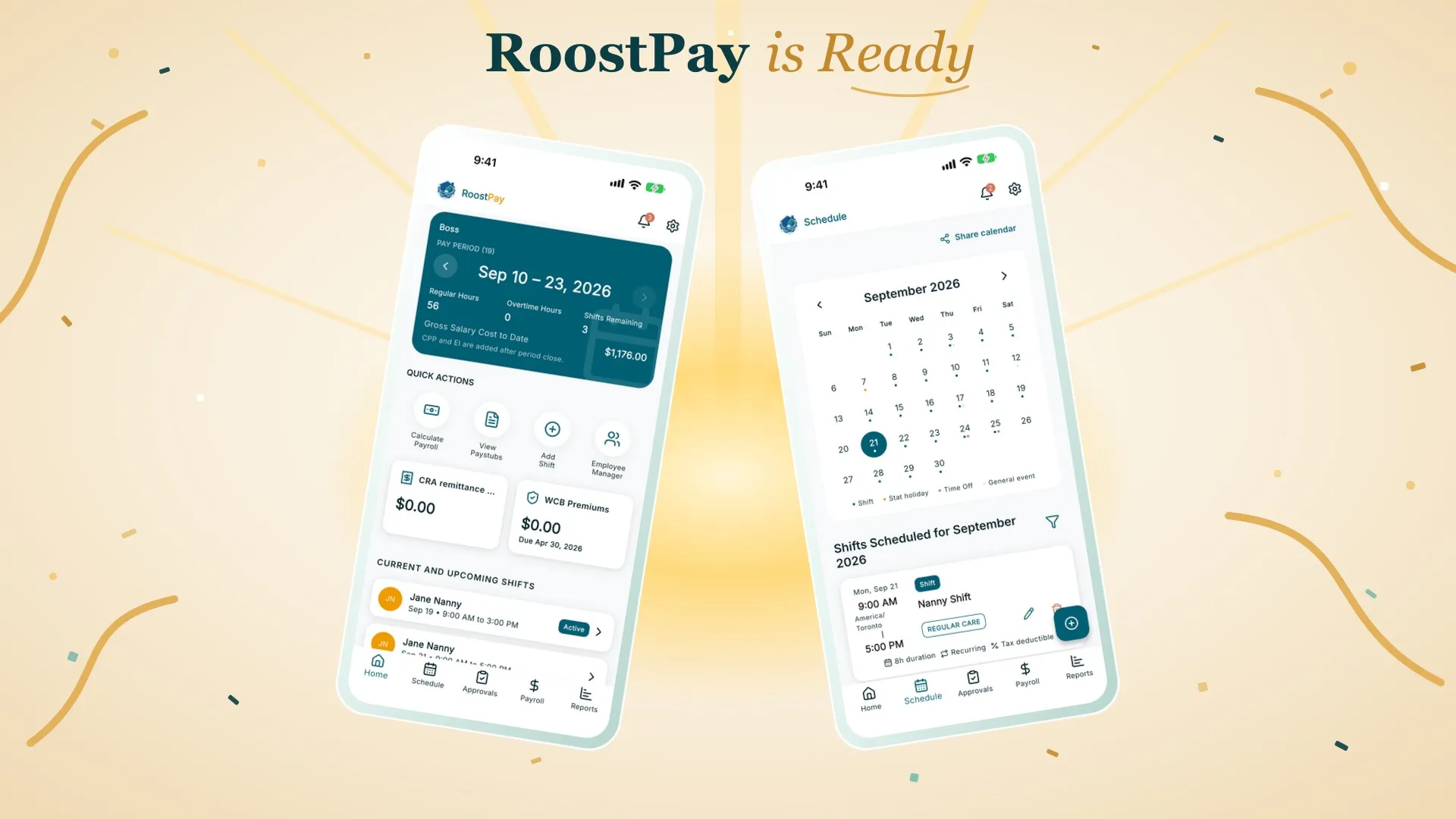
Today I’m launching RoostPay, and I want to say why the product exists.
I searched for a Canadian product that already did this, which is likely how you ended up here, and there wasn’t one. I hired a nanny because we needed the help, and I did not expect hiring, scheduling, and payroll to be this complicated. I have a technical background, so I built a system to automate it: spreadsheets, simple web apps, and a lot of manual work. It still took too much time every week, time away from my family. I spoke with other families who employ nannies and heard the same frustrations. I was not the only one, so I started a business to launch a simple, fully functional payroll app for Canadian nannies and caregivers, one that handles domestic employment standards without that weekly rebuild. That app is RoostPay.
Household payroll is a product problem
I’m Nick. I live in BC, and I employ in-home care for my family. We started with an au pair and later hired a full-time nanny. In Canada, that makes the household the employer, and nanny payroll in Canada is a defined set of obligations.
You withhold CPP, EI, and income tax on each paycheque, using the figures for the right province. You know the remittance amount and the due date. You issue a pay stub every pay period that shows how net pay was calculated. At year-end you produce a T4 that is accurate, because it is part of someone else’s tax return.
None of that is optional, and a wrong number does not fix itself.
Irregular hours do not fit a generic payroll tool
I’ve written about the earlier version of this, back when RoostPay first opened its waitlist. Our household works shifts, so the nanny’s hours were irregular and had to be tracked properly. I modeled the pay runs in a spreadsheet: the formulas, the tax brackets, and a shared calendar for the changing shifts.
What did not hold was keeping that model compliant with CRA rules and provincial employment standards on every pay run. Provincial overtime was the piece that broke it.
A nanny, an au pair, or a senior caregiver is not a salaried employee on a fixed corporate week. They still need real pay stubs, real remittance figures, and a real T4, calculated from the hours actually worked.
Overtime, stat pay, and vacation
The hours are what make a pay period hard. A shift runs long, a statutory holiday lands in the week, vacation gets booked, and the amount owed changes. In a spreadsheet, each of those is another formula you have to check by hand.
RoostPay keeps the schedule and the pay run together. Shifts, statutory holidays, and vacation sit on one calendar. When you run payroll, that period’s overtime, statutory holiday pay, and vacation pay are calculated from those hours, using your province’s rules. You are not rebuilding the math every time the week changes.
Those rules differ by province. The British Columbia versions are in BC overtime rules for nannies and BC statutory holiday pay for nannies.
What RoostPay does with the CRA work
RoostPay does not send money to the CRA for you, and it does not pretend to. It takes the calculation and the documents off the pay run so you are not reconstructing them by hand:
- It calculates CPP, EI, and income tax each pay period, and tells you what you owe the CRA and when, so the remittance is a figure you can act on.
- It generates a compliant pay stub when you run payroll, so your nanny or caregiver has a wage statement, not a note in a text thread.
- It generates T4 slips and a T4 Summary at year-end, ready for you to give to your caregiver and submit to the CRA yourself.
- It walks your caregiver through their TD1 forms so the tax credits that affect withholding are captured from day one, and helps you get an employment contract signed before the first shift.
That is the job the product is built to do. The RoostPay features page covers how the remittance calculations and T4 preparation fit together.
RoostPay launches today on iPhone, Android, and the web
RoostPay launches today on iPhone, Android, and the web. All three give you the same experience, so you can set up payroll on your laptop and then approve hours or run payroll from your phone, whichever is in front of you. Sign up for RoostPay and use any of them.
If you employ a nanny, au pair, senior caregiver, or house manager in Canada and you are still running payroll from a spreadsheet, start a free 30-day trial. You can cancel anytime. The app handles source deductions, remittance amounts, pay stubs, and T4s.