
Caregiver payroll for Canadian household employers
Caregiver payroll means treating the person you hire at home the way the CRA (Canada Revenue Agency) expects: register a payroll account, calculate CPP, EI, and income tax, pay vacation and other employment standards amounts, keep records, and file year-end slips.
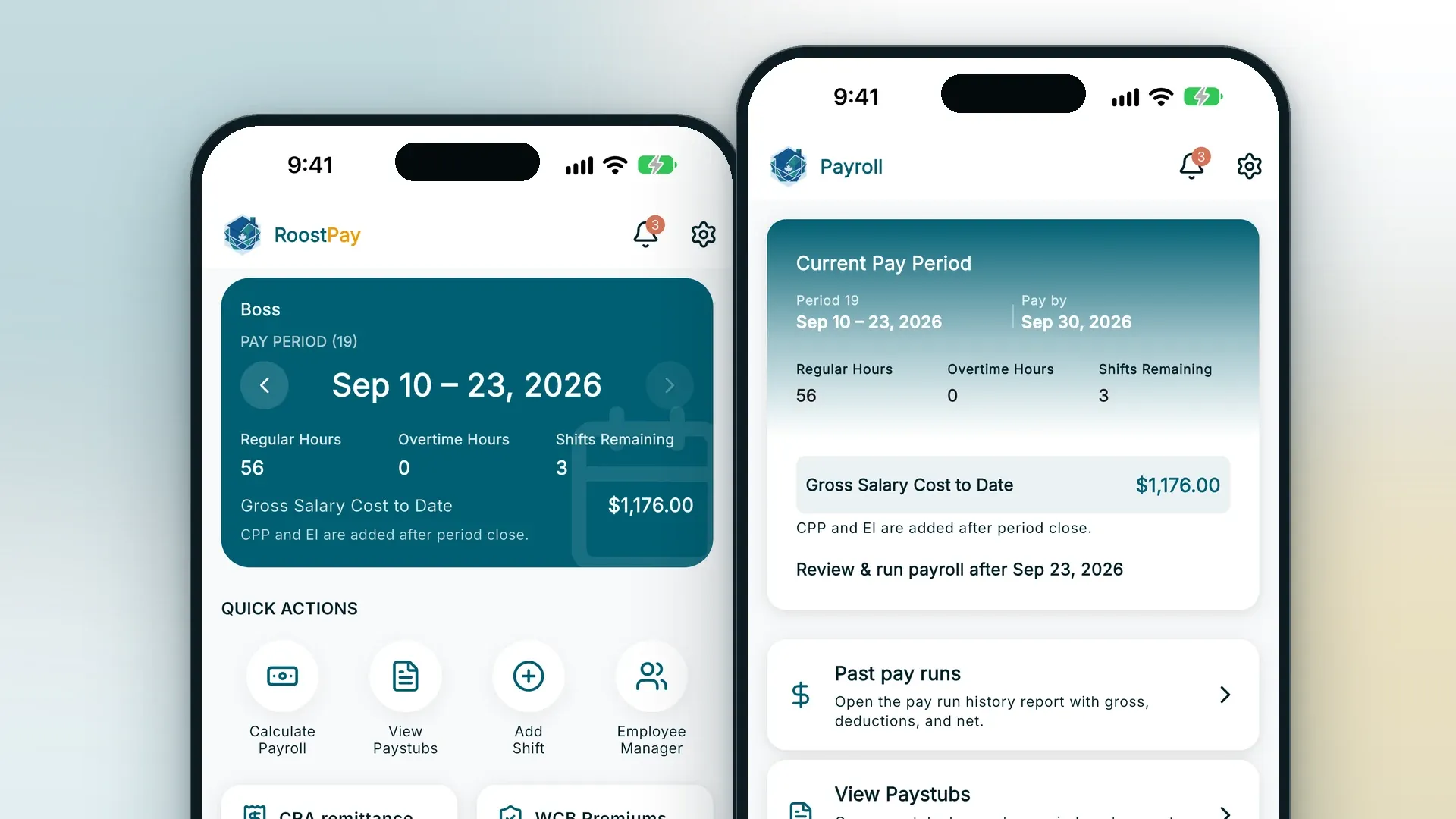
RoostPay is household payroll software that calculates those amounts, produces pay stubs, T4s, and ROEs, and shows you what to remit to the CRA. You still pay your caregiver and remit to the CRA yourself. This page is for families who pay the caregiver themselves, whether you hire directly or through a placement agency, and whether you pay privately for a parent or senior or you hire your own attendant or support worker, not for families who pay an agency to employ the worker and handle payroll.
No charges for 30 days · Cancel anytime

Who are you paying for?
The rules are the same underneath, but the details you need depend on who you’re hiring for. Pick the page that matches your situation.
A parent or senior
You hire and pay a caregiver or PSW (personal support worker) so a parent or older relative can stay at home.
Senior caregiver payroll →Yourself or a family member with a disability
You hire your own attendant or support worker, paid privately or through a program like CSIL or Alberta Self-Managed Care.
Attendant and support worker payroll →Five Steps to Payroll for Domestic Employers
Every household employer works through roughly the same list. Open a step for how to do it.
1 Confirm you’re the employer under CRA rules
- You hired the caregiver.
- You set their regular working hours.
- You assign and supervise the work.
- If all three apply, the CRA generally treats you as the employer, including when a placement agency introduced them and you pay the caregiver yourself.
- If you are unsure, you or your caregiver can ask the CRA for a CPP/EI ruling.
2 Register a CRA payroll account
- Register a payroll program account under a CRA Business Number once you know you are the employer.
- Use that account to remit CPP, EI, and income tax instead of paying only in cash with no records.
- Walk through registration in our guide on getting a CRA Business Number for a caregiver .
3 Withhold and remit CPP, EI, and income tax
- Calculate employee withholdings and your employer share when the pay is pensionable and insurable.
- Outside Quebec in 2026, CPP is 5.95% each (yearly maximum pensionable earnings $74,600; basic exemption $3,500).
- CPP2 is 4% each on earnings above that yearly maximum, up to $85,000.
- Federal EI is 1.63% for the employee and 2.28% for the employer (1.4 times the employee rate), on insurable earnings up to $68,900.
- Quebec uses reduced EI rates and QPIP. Confirm the current figures with the CRA before you remit.
- RoostPay calculates the amounts each pay run. You still remit to the CRA yourself.
4 Track vacation pay and issue a T4 and ROE
- Follow your province’s employment standards for vacation pay and statutory holidays.
- Put the required details on each pay stub, and keep records from the first pay period.
- Issue a T4 at year-end.
- When the job ends and the work was insurable, issue a Record of Employment so your caregiver can apply for EI.
5 Check whether you need workers’ comp coverage
- In Ontario, a domestic employee averaging more than 24 hours a week needs WSIB coverage. Register within 10 calendar days of hiring.
- A private attendant who provides personal care, such as bathing or grooming, generally does not have to register with WSIB. Optional coverage is available.
- If the role mixes housework and personal care, ask WSIB rather than guessing.
- In BC, WorkSafeBC generally requires coverage for a home health worker at 8 or more hours a week.
- In other provinces, check your workers’ compensation board. Our guide covers domestic employer registration in BC, Ontario, and Quebec .
This is not tax or legal advice. Confirm your situation with the CRA and your province.
How RoostPay Helps with Caregiver Payroll
RoostPay is built for Canadian household employers, the same payroll math families already use for nanny payroll , adapted here for caregiver and support-worker arrangements.
-
RoostPay handles
Payroll calculations (CPP, CPP2, EI, income tax, vacation pay)You stay in charge
Pay your caregiver from your own bank account -
RoostPay handles
Deduction and remittance amountsYou stay in charge
Remit those amounts to the CRA yourself -
RoostPay handles
Pay stubs, T4s, and ROEsYou stay in charge
Any funding-program report your situation requires -
RoostPay handles
One flat plan for multiple caregiversYou stay in charge
Workers’ comp registration, if your province requires it
RoostPay calculates each pay run, shows you what to remit, and prepares the pay stubs, T4s, and ROEs so you can pay your caregiver and send the CRA what is owed.
Flat pricing for one caregiver, or several
Families covering longer hours or overnight care often employ more than one caregiver. RoostPay’s Full Access plan is one price with unlimited employees: $24/month or $228/year (shown as $19/month when billed annually), with no setup fee. This means you will save the extra fees a per-employee product charges once you’re paying three or four caregivers.
Compare Full Access for one caregiver or several.
Caregiver payroll pricingMultiple employer access for caregiver payroll
An adult child often ends up running caregiver payroll for a parent, sometimes from another city. RoostPay lets you give a second family member or a power of attorney the same access as the household employer, so the person on the account isn’t stuck doing every pay run alone.
That second person can do every task the first person can, including scheduling, running caregiver payroll, calculating CPP, EI, and income tax remittances, and adding a new caregiver.
Caregiver Payroll Guides
Paying for a parent or senior
Attendant or support worker
Start caregiver payroll with RoostPay
One plan, unlimited employees. $24/month or $228/year.
No charges for 30 days · Cancel anytime
Not ready to start? Get caregiver payroll tips by email.
Get RoostPay Insights newsletter
Frequently asked questions
What does caregiver payroll actually mean?
It means treating the person you hire at home as an employee: registering a CRA payroll account, calculating CPP, EI, and income tax, keeping records, and issuing year-end slips, instead of just handing over cash.
Do I have to treat my caregiver as an employee?
Usually yes, if you hire them, set their hours, and supervise the work. The CRA calls this the employer test. If you are unsure, either you or your caregiver can ask the CRA for a ruling.
Can I pay a caregiver in cash?
You can pay a caregiver in cash, but you still need to withhold and remit when the rules say you are the employer, and you still need to keep records. Undocumented cash pay is what gets families into trouble, not cash itself. We recommend an e-transfer or a cheque, so you have a paper trail for each payment.
Is this the same as buying hours from a home-care agency?
No. An agency employs the caregiver and sends you an invoice. RoostPay is designed for families who hire directly, set the schedule, and are the legal employer. It calculates each pay run and prepares the pay stubs, T4s, and ROEs so you can pay your caregiver and remit to the CRA.
How is this different from nanny payroll?
Caregiver payroll and nanny payroll run on the same RoostPay tools. CPP, EI, and income tax are calculated the same way for both. What differs is the type of work, and the workers’ compensation and program rules that come with it. For childcare, see nanny payroll in Canada.
Sources
- CRA, employing a caregiver, baby-sitter, or domestic worker
- RC4110, employee or self-employed
- CRA, hiring a family member or a related person
- WSIB, industry-specific coverage
- WorkSafeBC, homeowners
- BC, Choice in Supports for Independent Living
- AHS Self-Managed Care brochure (PDF)
Last updated: 2026-09-25. This page is general information for Canadian household employers. It is not tax, legal, insurance, or employment advice. Rules change; confirm with the CRA, your provincial workers’ compensation board, employment standards office, and, if applicable, your funding program or case manager.