
Running CSIL payroll in BC
CSIL stands for Choice in Supports for Independent Living. Your health authority funds you directly so you can hire and pay your own home-support workers. That makes you the employer, which means CRA registration, WorkSafeBC rules, pay records, and a monthly report back to your health authority.
RoostPay calculates your payroll and remittance amounts. You still pay your workers, remit to the CRA, and file your CSIL report yourself. This page is for CSIL clients who pay their workers themselves, not for clients whose workers are employed and paid by an agency.
No charges for 30 days · Cancel anytime
CSIL at a glance
The short version of what changes when you become a CSIL employer. The sections below explain each row.
| Topic | What to know |
|---|---|
| Who funds you | What to know Your local health authority, directly to you |
| Who the employer is | What to know You, your client support group, or your representative |
| Payroll duties | What to know A CRA Business Number, then withholding and remitting income tax, CPP, and EI when they apply |
| Workers’ compensation | What to know WorkSafeBC generally requires coverage once a home health worker is on for 8 or more hours a week |
| Bank account | What to know A separate CSIL bank account before funding starts |
| Report to your health authority | What to know A monthly financial report with receipts, within 45 days of month-end |
What CSIL actually is
According to the Province of BC (page updated 2025-09-10), CSIL is a self-directed option for eligible home-support clients. You receive funds from your local health authority to purchase home support, and you become the employer who hires, supervises, and oversees spending.
If you can’t manage that alone, a client support group or a representative under a Representation Agreement can act as the CSIL employer instead.
Who counts as the CSIL employer?
Under BC’s Home and Community Care Policy Manual, the CSIL employer is whoever is party to the CSIL agreement: you, your client support group, or your representative. The health authority funds that employer, who then hires care providers directly.

Your employer obligations
As the CSIL employer, you hire, schedule, and supervise your staff, and you follow the same laws any household employer does:
- CRA payroll rules: register a Business Number, and withhold and remit income tax, CPP, and EI when they apply
- Workers’ Compensation Board and WorkSafeBC rules
- BC employment standards
For WorkSafeBC specifically, homeowners who directly hire an ongoing home health worker generally need coverage once that worker is on for 8 or more hours a week. See WorkSafeBC, homeowners.
More on registration: domestic employer registration in BC and Ontario .
Your funding, bank account, and monthly report
- You need a separate CSIL bank account before funding starts
- Funding works out to an hourly rate times your assessed monthly hours
- The CSIL hourly rate is comprehensive: it covers wages, statutory benefits, payroll deductions, administration, and allowable expenses
- You submit a monthly financial report with receipts within 45 days of month-end
Published minimum hourly rates include $38.19, effective April 1, 2024. Confirm the current figure with your health authority rather than assuming it’s been updated.
Can you pay a family member under CSIL?
Immediate family, meaning a parent, child, or spouse, can’t be paid unless your health authority approves an exception. Even when a family member can be paid under CSIL, CRA rules for CPP and EI still apply on top of that. You can read how those work on the attendant and support worker payroll page .
How RoostPay Helps with Caregiver Payroll
-
RoostPay handles
Payroll calculations (wages, CPP, CPP2, EI, income tax, vacation pay)You stay in charge
Pay workers from your CSIL account -
RoostPay handles
Deduction and remittance amountsYou stay in charge
Remit to the CRA yourself -
RoostPay handles
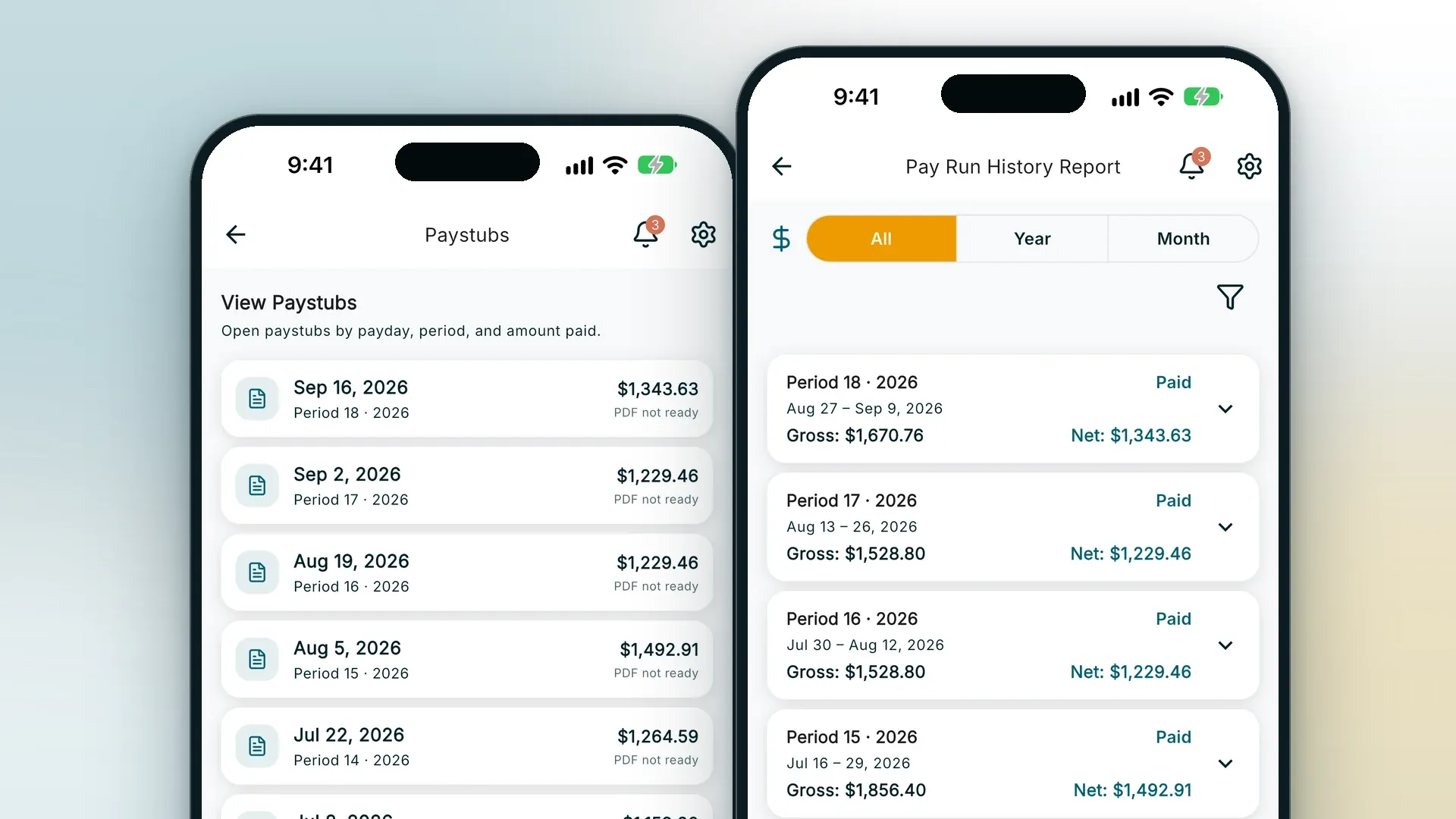
Pay stubs, T4s, ROEs, and payroll records you can attach as receiptsYou stay in charge
Your monthly CSIL financial report, within 45 days -
RoostPay handles
One flat plan for multiple support workers ($24/mo or $228/yr, unlimited employees)You stay in charge
WorkSafeBC registration, employment standards, and your CSIL agreement duties
RoostPay calculates each pay run, shows you what to remit, and prepares the pay stubs, T4s, and ROEs so you can pay your caregiver and send the CRA what is owed.
Compare Full Access for one caregiver or several.
Caregiver payroll pricingRelated caregiver payroll guides
Run CSIL payroll without losing a weekend to spreadsheets
One plan, unlimited employees. $24/month or $228/year.
No charges for 30 days · Cancel anytime
Not ready to start? Get caregiver payroll tips by email.
Get RoostPay Insights newsletter
Frequently asked questions
What is CSIL?
Choice in Supports for Independent Living is a self-directed home-support program in BC. Your health authority funds you to hire, pay, and manage your own home-support workers.
Who counts as the CSIL employer?
You, the client, or your client support group or representative if you can’t manage CSIL alone. The health authority funds you, but it is not the employer of the staff you hire directly.
Do CSIL employers need WorkSafeBC coverage?
CSIL policy requires you to follow Workers’ Compensation Board rules. WorkSafeBC’s homeowner guidance generally requires coverage for a home health worker at 8 or more hours a week. Confirm your own situation with WorkSafeBC.
What is the CSIL hourly rate?
Public materials list a minimum of $38.19, effective April 1, 2024. Confirm your current funded rate with your health authority before relying on it.
Can I pay a family member under CSIL?
Immediate family, meaning a parent, child, or spouse, can only be paid with an approved exception from your health authority. A client support group member or representative can’t also be a paid provider.
Does RoostPay submit my monthly CSIL report?
No. RoostPay handles payroll calculations and gives you the documents. You still submit your monthly financial report with receipts to the health authority.
Does RoostPay remit my CRA source deductions?
RoostPay works out the exact amounts and gives you pay stubs, T4s and ROEs, so you pay your caregiver by e-Transfer or through your own bank and remit to the CRA.
Sources
- BC, Choice in Supports for Independent Living
- HCC Policy Manual Chapter 4 (PDF)
- WorkSafeBC, homeowners
Last updated: 2026-09-25. General information for CSIL clients and families, not tax, legal, or program advice. Confirm rates, reporting, and family-pay rules with your health authority and the CRA.