
My Schedule shows a calendar view of your shifts, statutory holidays, vacation, and any other events your employer has added.
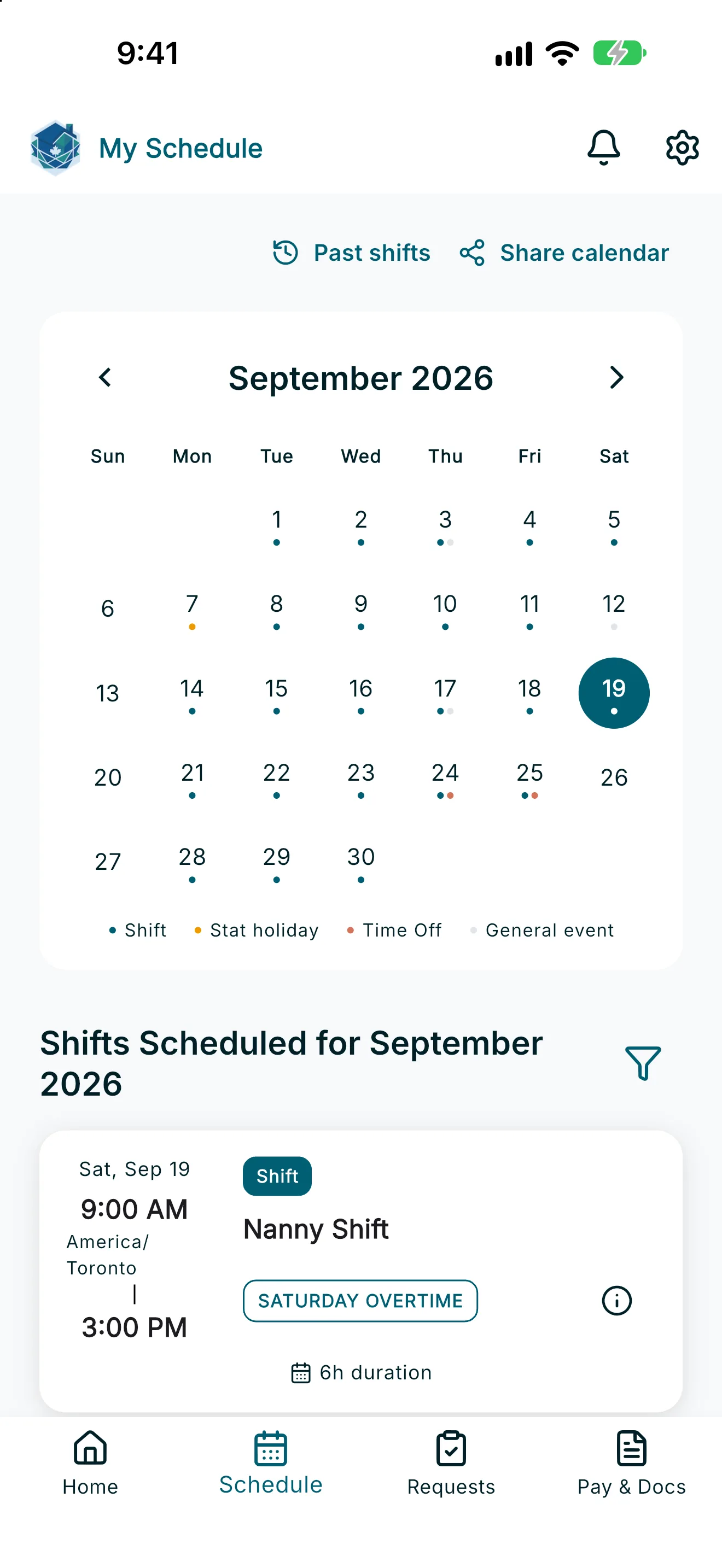
- Open the Schedule tab from the navigation bar. The screen title is My Schedule.
- Use the calendar to browse months. Tap any date to see everything scheduled that day.
- Below the calendar, Shifts Scheduled for [month] lists your upcoming shifts and events for the month, starting from today.
- Tap the filter icon to choose which types of events are shown in this list.
- Tap Show More Shifts if there are more items than currently displayed.
Note: My Schedule is read-only for caregivers — you can view your shifts and events here, but you'll clock in and out, or request time off, from the Home screen and Requests screens.
Note: Times on the schedule always reflect your employer's registered work time zone — not your device's local time. If you're traveling, you may see a small time zone label next to the times to remind you.
If your schedule doesn’t load, you’ll see a message that it couldn’t load — check your connection or try again.