
Your Account settings cover your personal details and sign-in email. Household settings cover the shared business details RoostPay uses for payroll and CRA remittances, plus emergency contacts and your co-employer.
Account settings
- Go to Settings > Account.
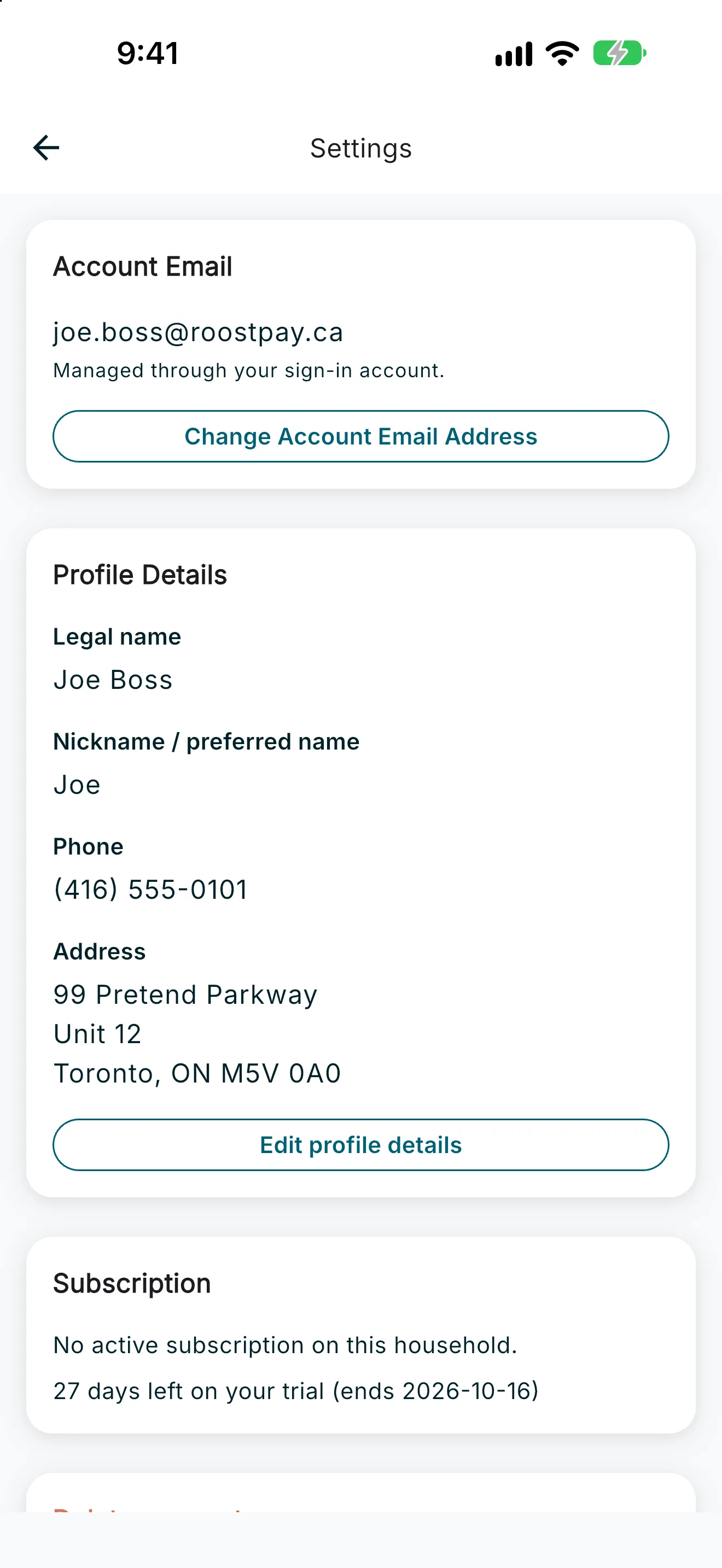
- Your Account email is shown at the top (read-only). To change it, tap Change Account Email Address, enter the new email, and confirm — you’ll need to confirm the change from both your current and new inboxes.
- Tap Edit to update your legal first and last name, preferred name, phone, and address. Tap Save when you’re done, or Cancel to discard your changes.
Household settings
Go to Settings > Household.
CRA account details
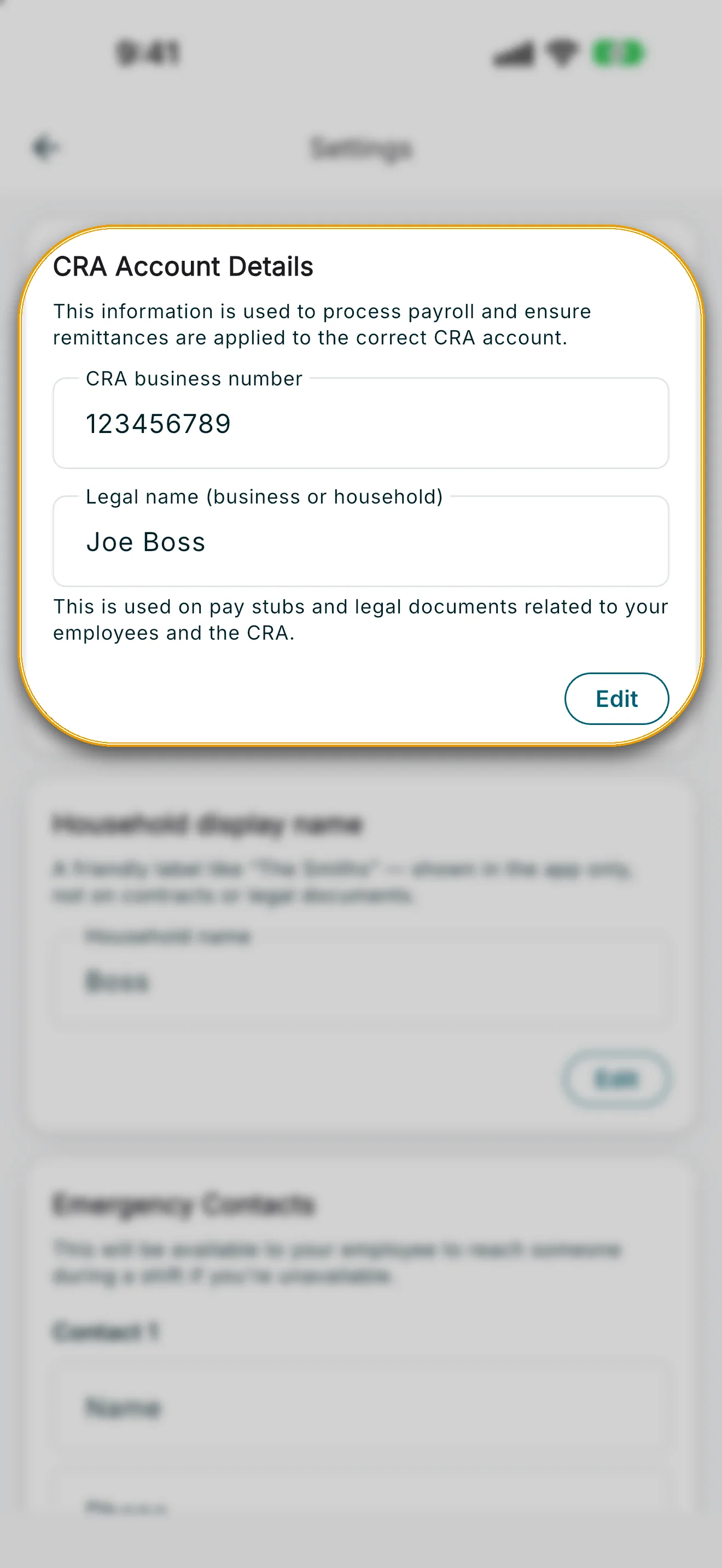
Tap Edit on the CRA Account Details card to update your CRA business number and Legal name (business or household). RoostPay uses this to calculate and track payroll and remittances, and on your year-end tax forms — it does not send remittance payments to the CRA. Both fields are required. Tap Save to confirm.
Household display name
Tap Edit on the Household display name card to set a friendly, informal label (for example, “The Smiths”). This name is shown in the app only — it doesn’t appear on contracts or legal documents.
Emergency contacts
Tap Edit on the Emergency Contacts card to add up to two contacts your employee can reach during a shift if you’re unavailable. Enter a name and phone number for Contact 1 and, optionally, Contact 2, then tap Save.
Spouse or partner (co-employer)
If you have a co-employer on your household, their contact details appear under Spouse or partner (or Primary employer (your partner) if you were invited by them). To invite a partner, update their details, or manage the link, tap Open Household management.
Unlinking a co-employer
Only the primary employer can unlink a co-employer from Household management.
- Open Household management.
- On the linked co-employer card, tap Unlink co-employer.
- Confirm and verify your identity when prompted.
After unlinking:
- The co-employer loses access to this household’s schedule, payroll, and employee information.
- RoostPay notifies the co-employer that they’ve been unlinked from the household.
- Their RoostPay account remains.
- They cannot add employees until they have an active RoostPay household subscription.
- The co-employer (partner) cannot unlink themselves — only the primary employer can.